Capture what matters
Send the screenshot. Keep the next step.
Choose an image or share one directly from another app. Useful details get a proper place to live.
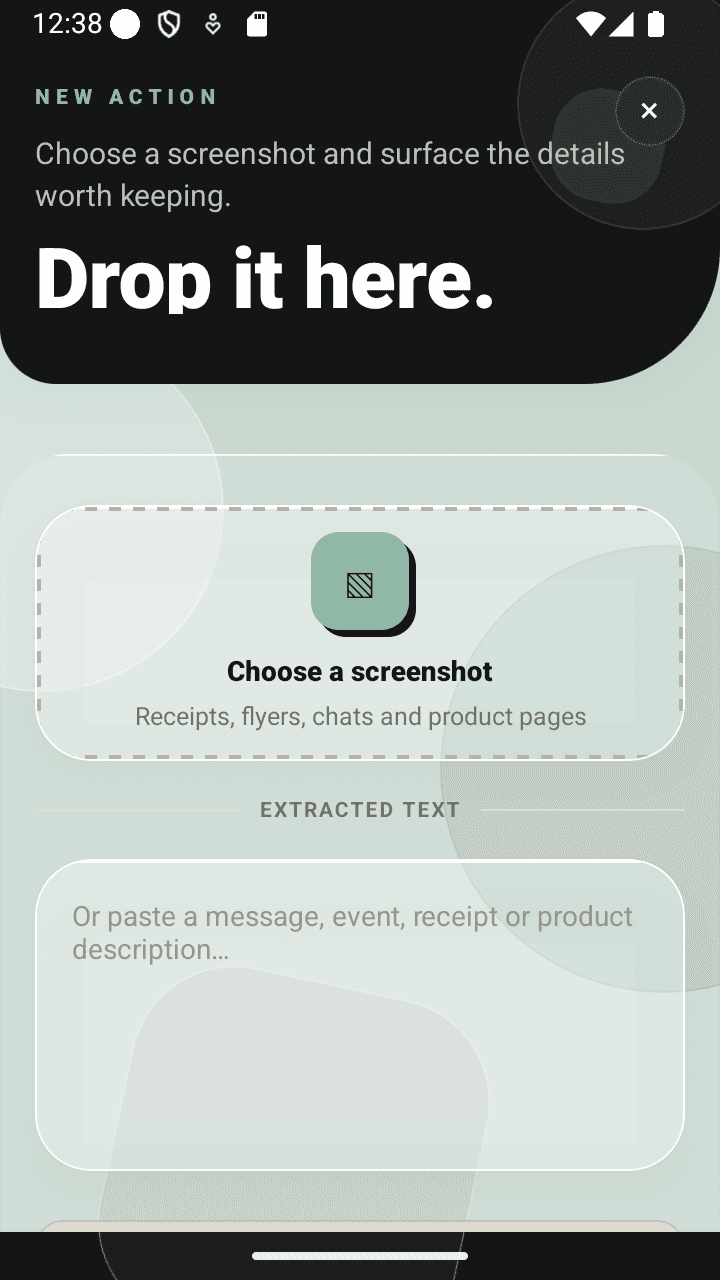
Turn screenshots, flyers, receipts and shared links into clear actions before they disappear into your gallery.

Review every result before anything is saved.
5
action types
1
focused inbox
0
gallery sweeps
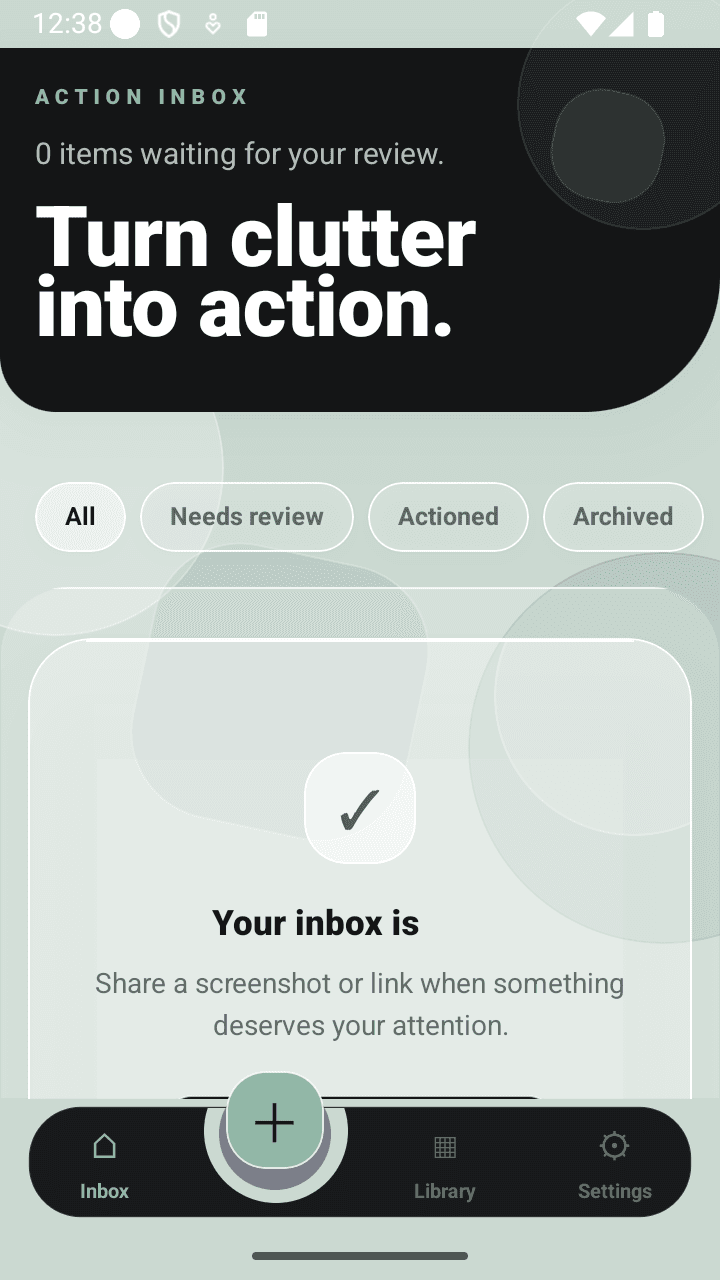
One inbox
For everything you meant to remember.
Built for follow-through
Capture what matters
Choose an image or share one directly from another app. Useful details get a proper place to live.
Review the details first. Correct them, choose an action type, then approve what belongs in your inbox.
You stay in control
No silent gallery scanning. No mystery actions.
01
Keep dates, times and venues without hunting through your gallery.
02
Pull out merchant, amount and purchase details while they still matter.
03
Turn product screenshots into wish-list items with useful context.
04
Give useful pages a destination instead of another forgotten browser tab.
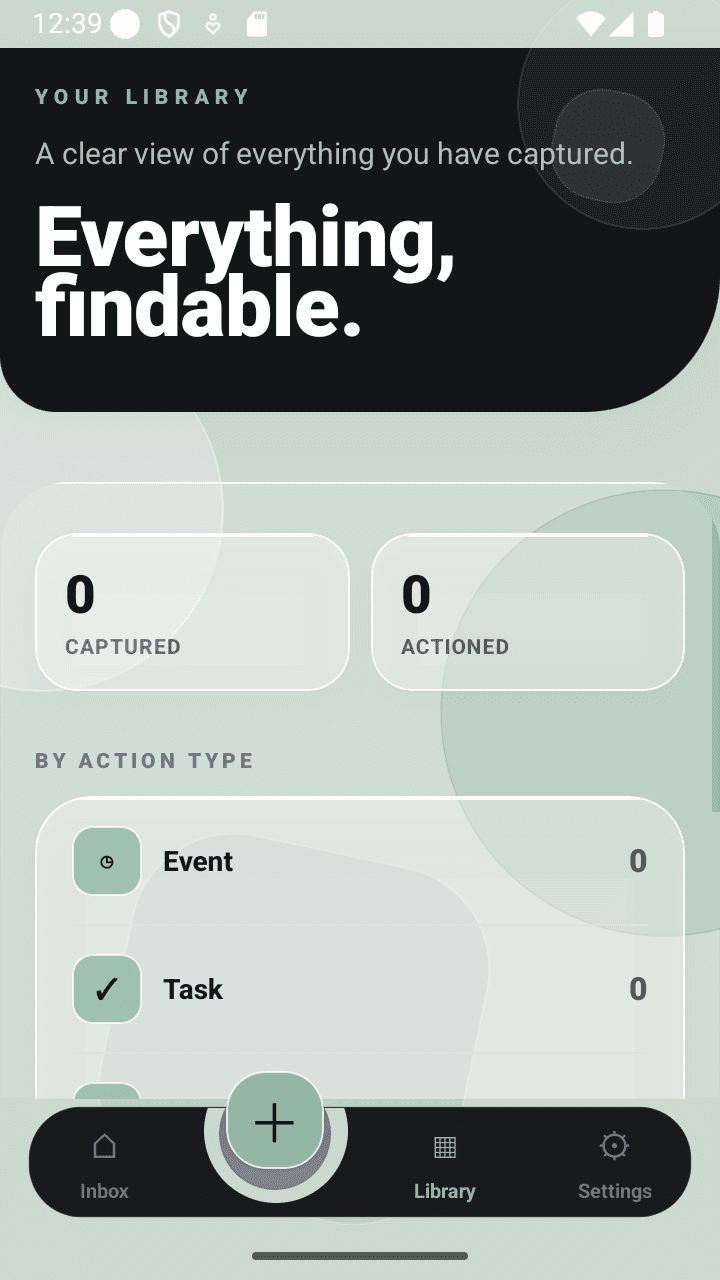
Three simple moves
Send in a screenshot or shared link.
Check what was found and make it accurate.
Keep it as a task, event, expense, wish-list item or note.
Good questions
Share a screenshot to Action Inbox or choose one inside the app. Review the useful details, then save it as a task, event, expense, wish-list item or note.
Yes. Action Inbox surfaces the visible information and gives you a review step before you keep the result.
Clear images can be used to surface dates, locations, merchant names, amounts and other useful text. You decide what gets saved.
No. You choose what to share or select. Action Inbox does not silently sweep through your photo library.
Less clutter. More follow-through.